Raise on SAFEs
Y Combinator's post-money SAFE filled from the investor's email, checked word for word, signed and kept in your register.
In Binderwork
On binderwork.com or your own instance, in a browser on any device.
Start from their email
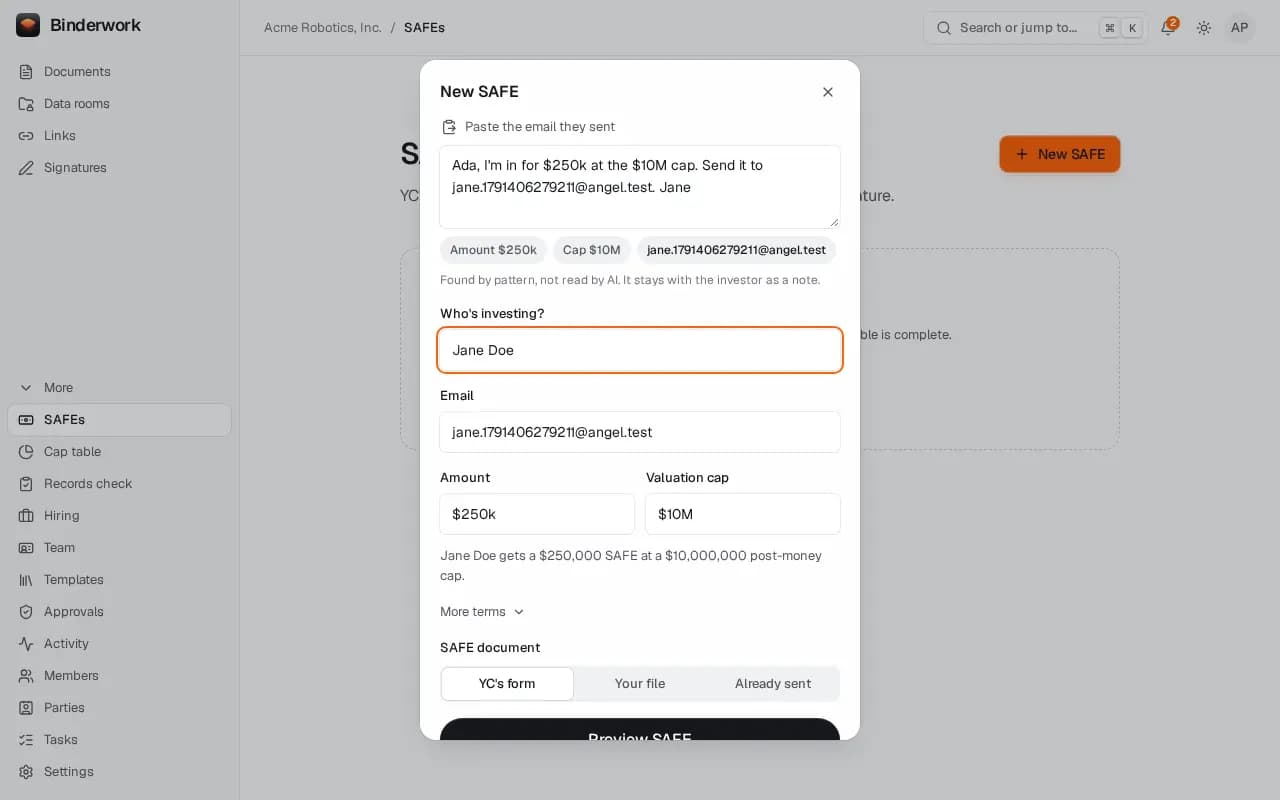
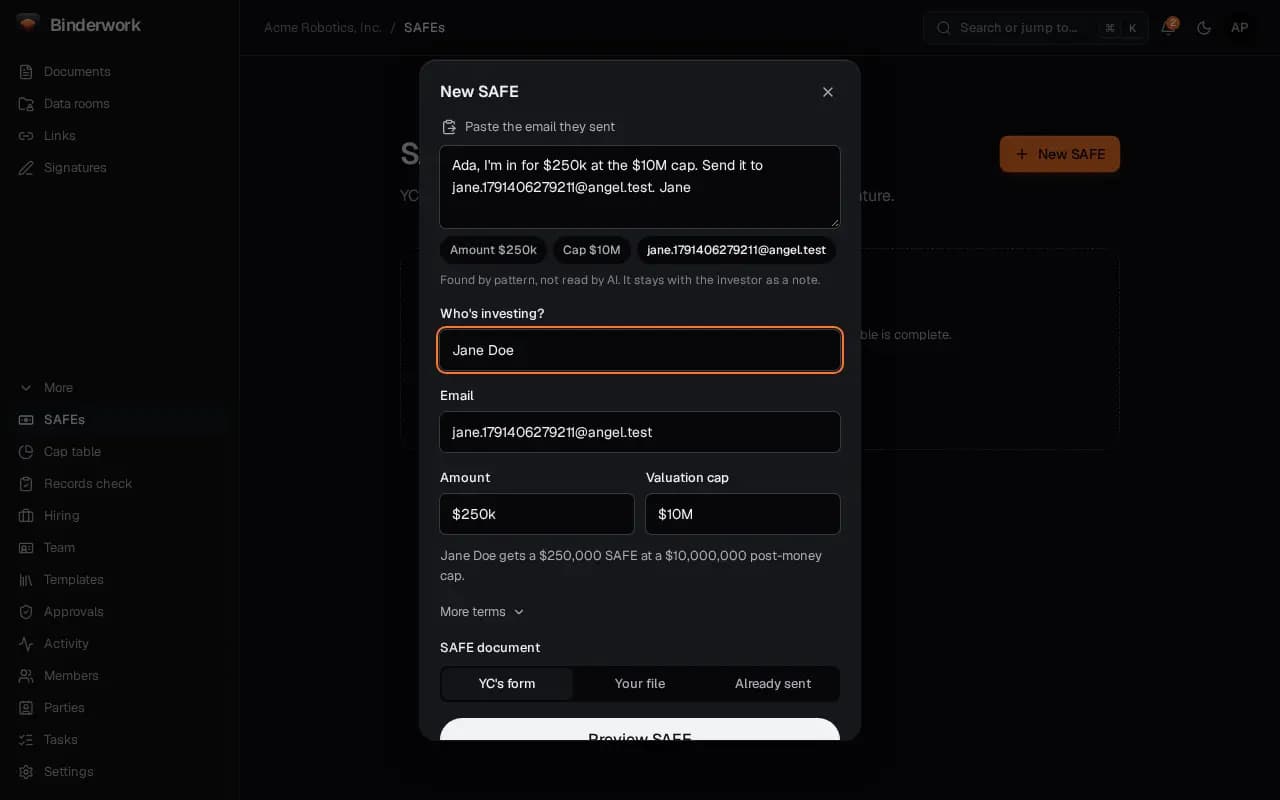
On SAFEs, choose New SAFE and paste the investor's email. Binderwork suggests the amount, the cap and where to send it, and fills YC's form.
Settle the facts first
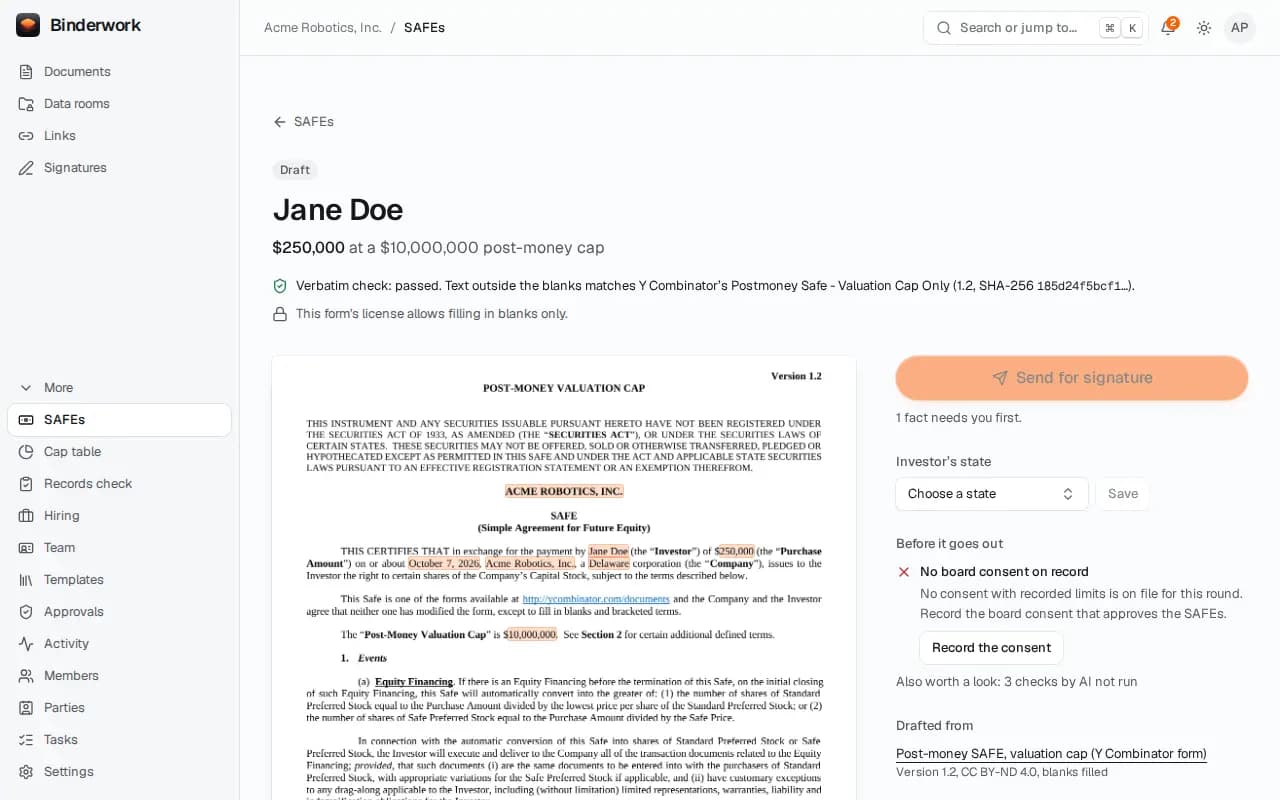
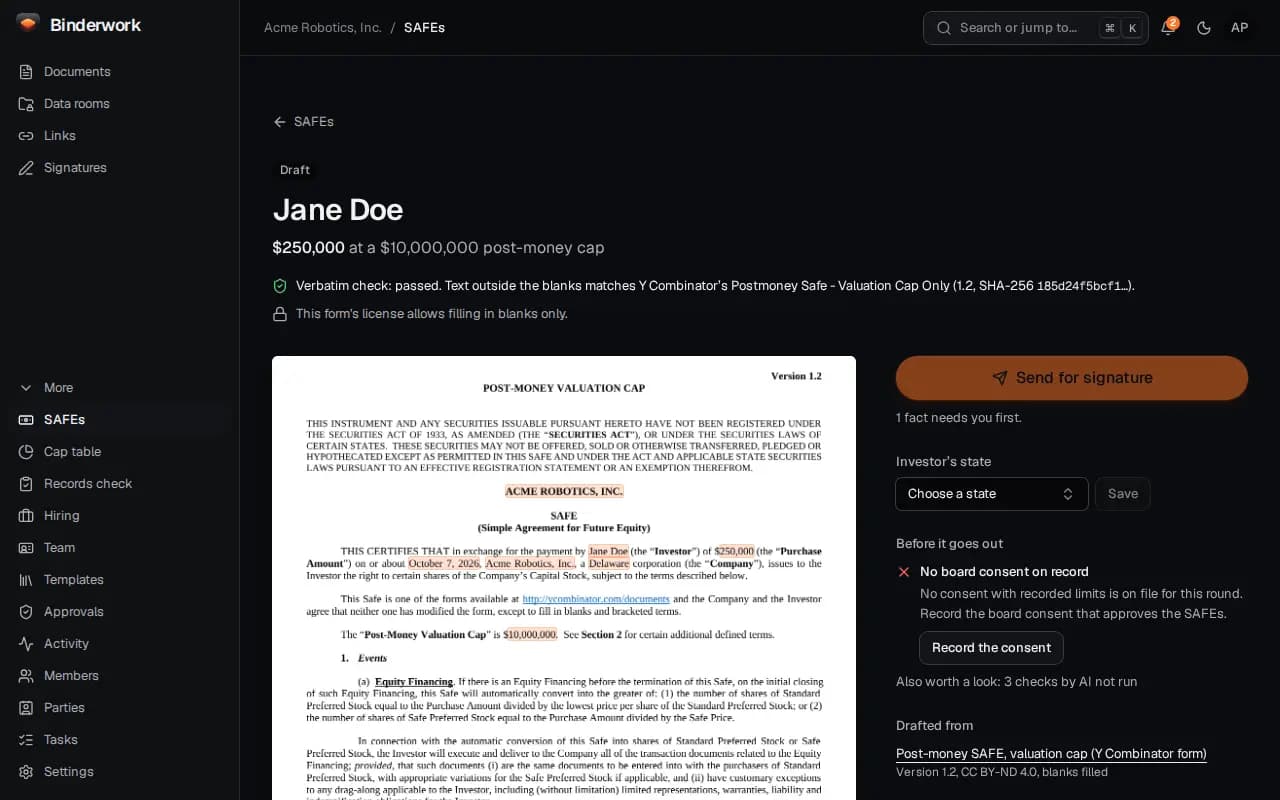
The preview is YC's form with your blanks, checked word for word against Y Combinator's. What needs settling before it goes out, such as the board consent, is listed beside it.
Send it and follow the round
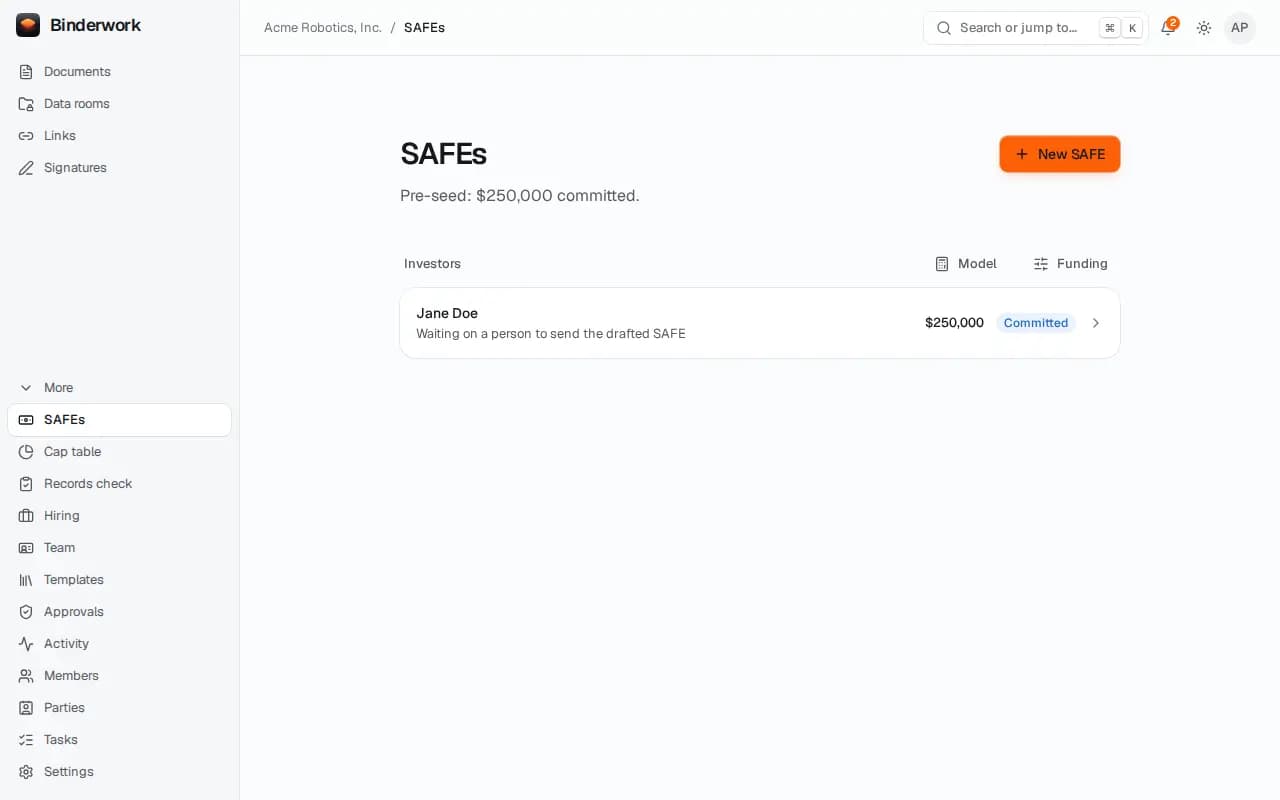
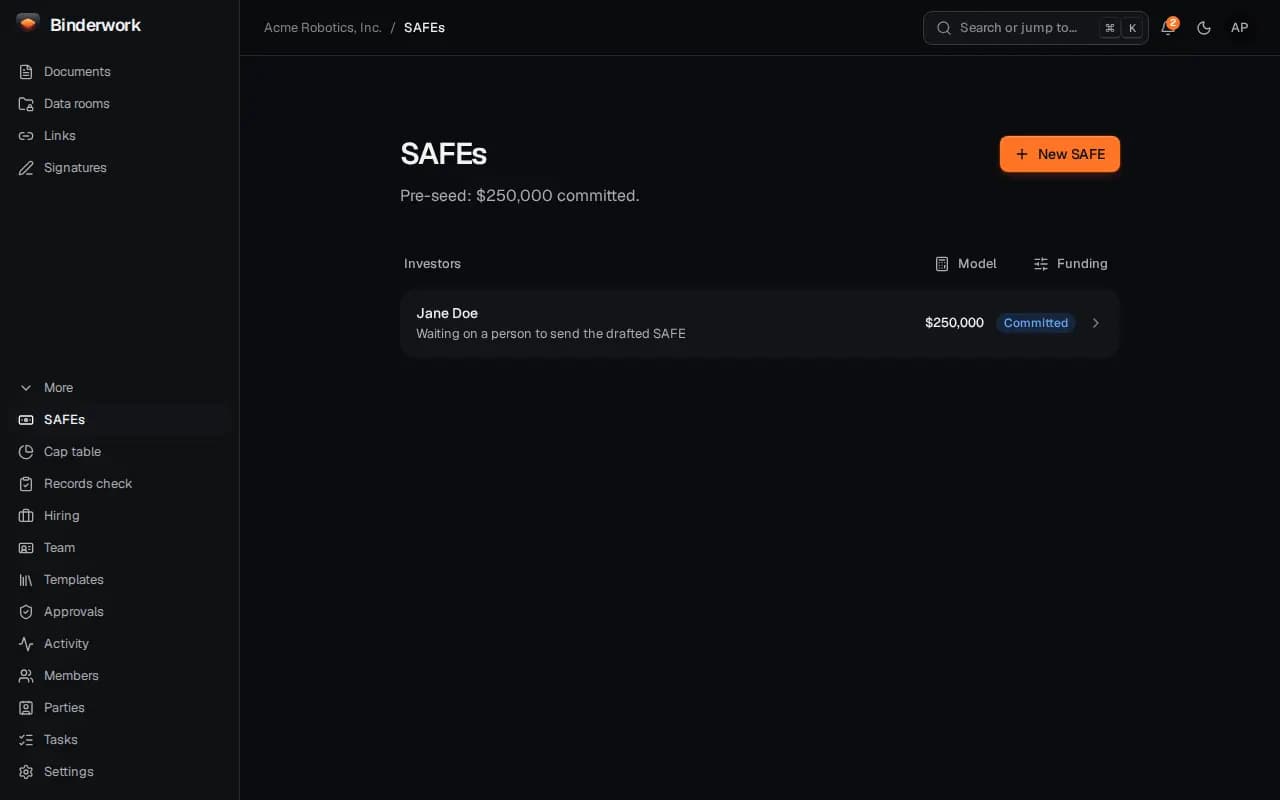
Send for signature asks an officer's passkey. The round shows each investor and what they wait on, and signed SAFEs land in the register.
From ChatGPT or Claude
Once Binderwork is connected to your chat, ask in your own words. Your assistant drafts; anything that reaches another person waits for your approval in Binderwork.
Ask where the round stands
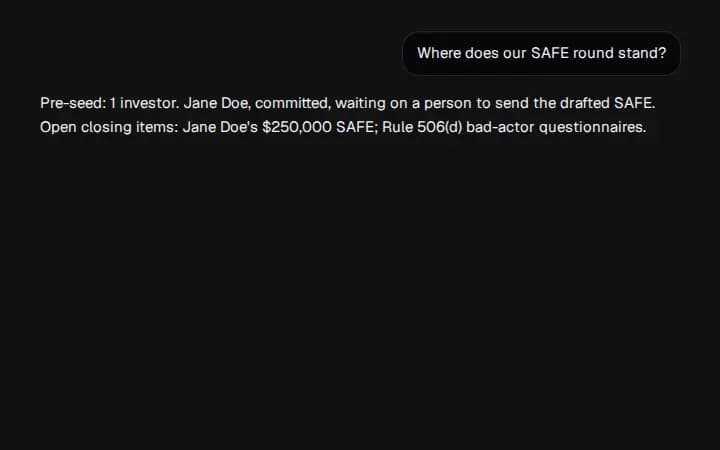
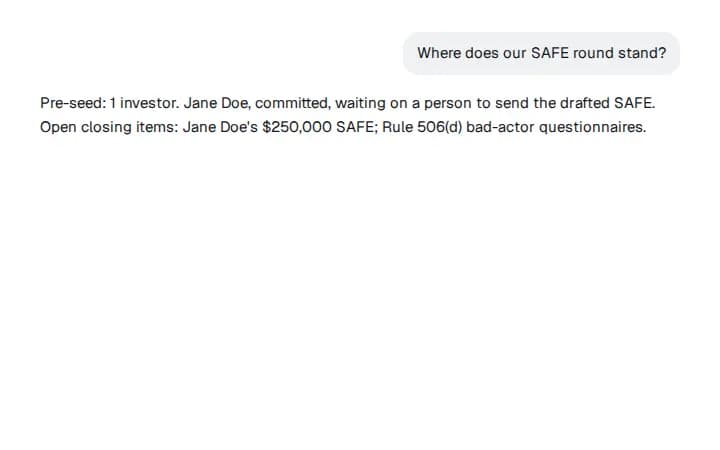
Say “Where does our SAFE round stand?” Binderwork answers with who has committed and what each investor waits on.
Ask for the next SAFE
Say “Prepare a $250k SAFE for Jane at a $10M cap.” Your assistant drafts it; sending waits for an officer's approval in Binderwork.