Keep your cap table
Bring your spreadsheet or your Pulley or Carta export, compare it with the file, and see who owns what on any date.
In Binderwork
On binderwork.com or your own instance, in a browser on any device.
Bring what you have
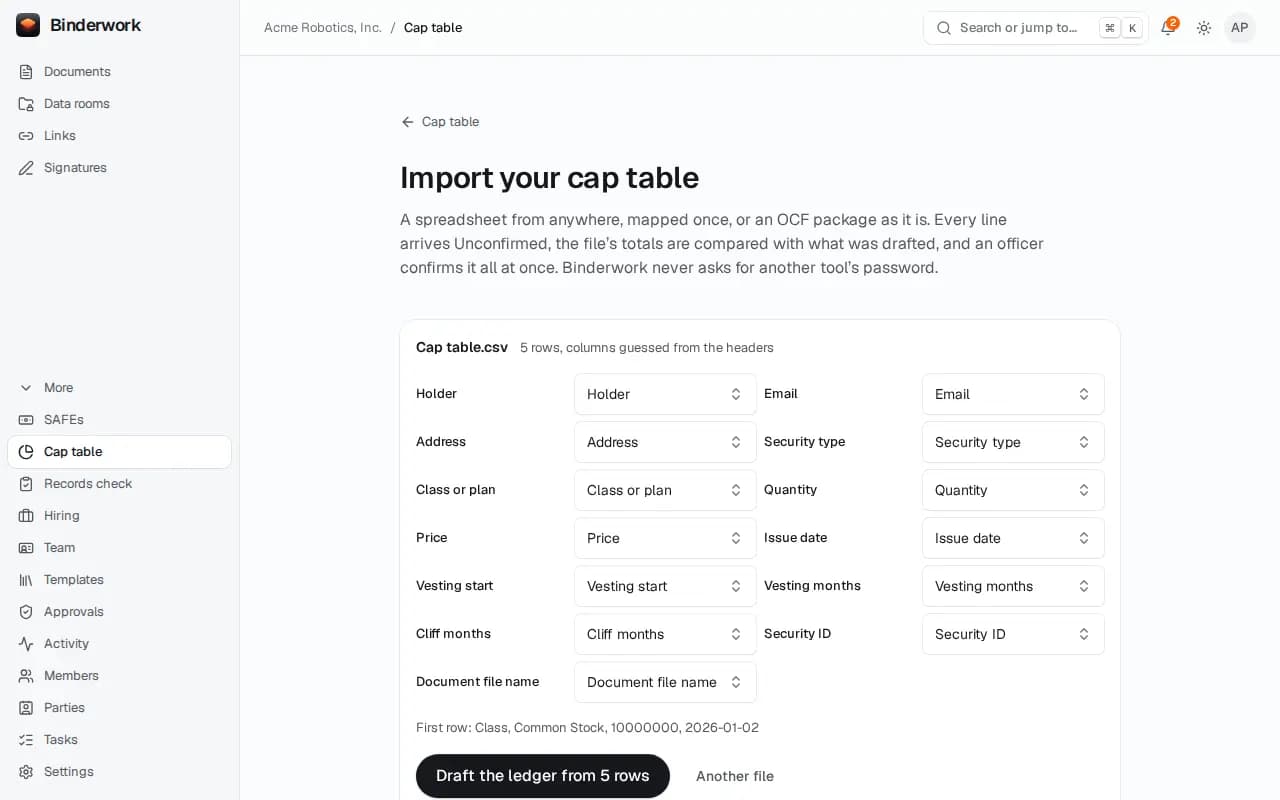
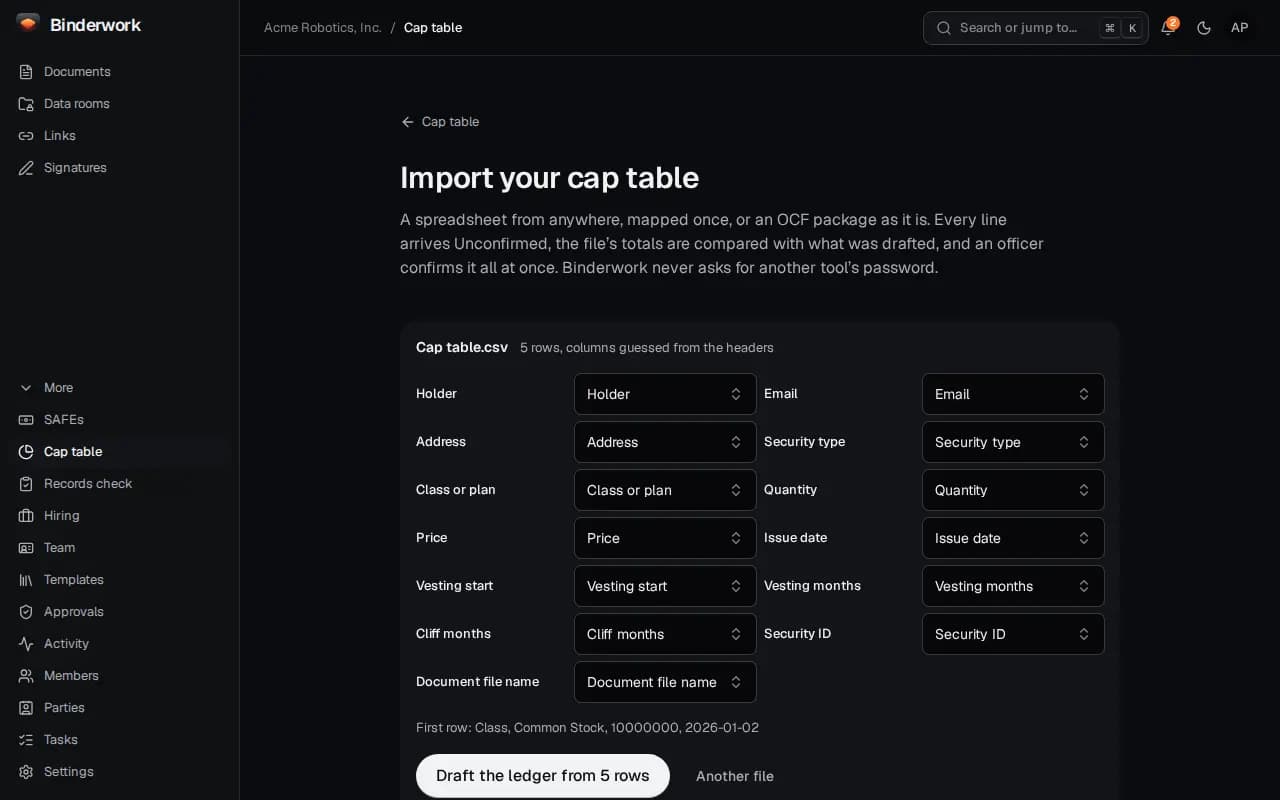
Choose Import on the cap table. A spreadsheet's columns are mapped once; Pulley's and Carta's exports and OCF packages are read as they are.
Compare it with the file
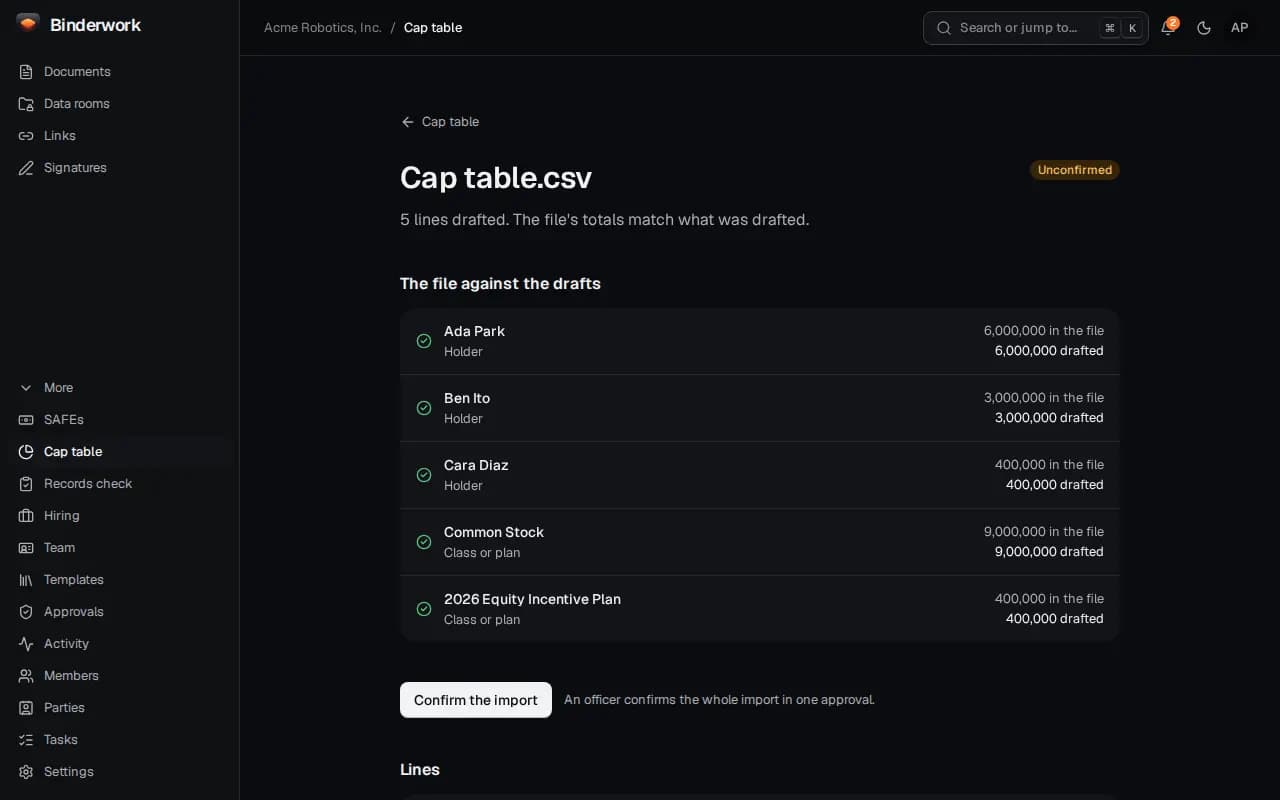
Every holder's totals are set against the file before anything counts. An officer confirms the whole import at once.
See who owns what
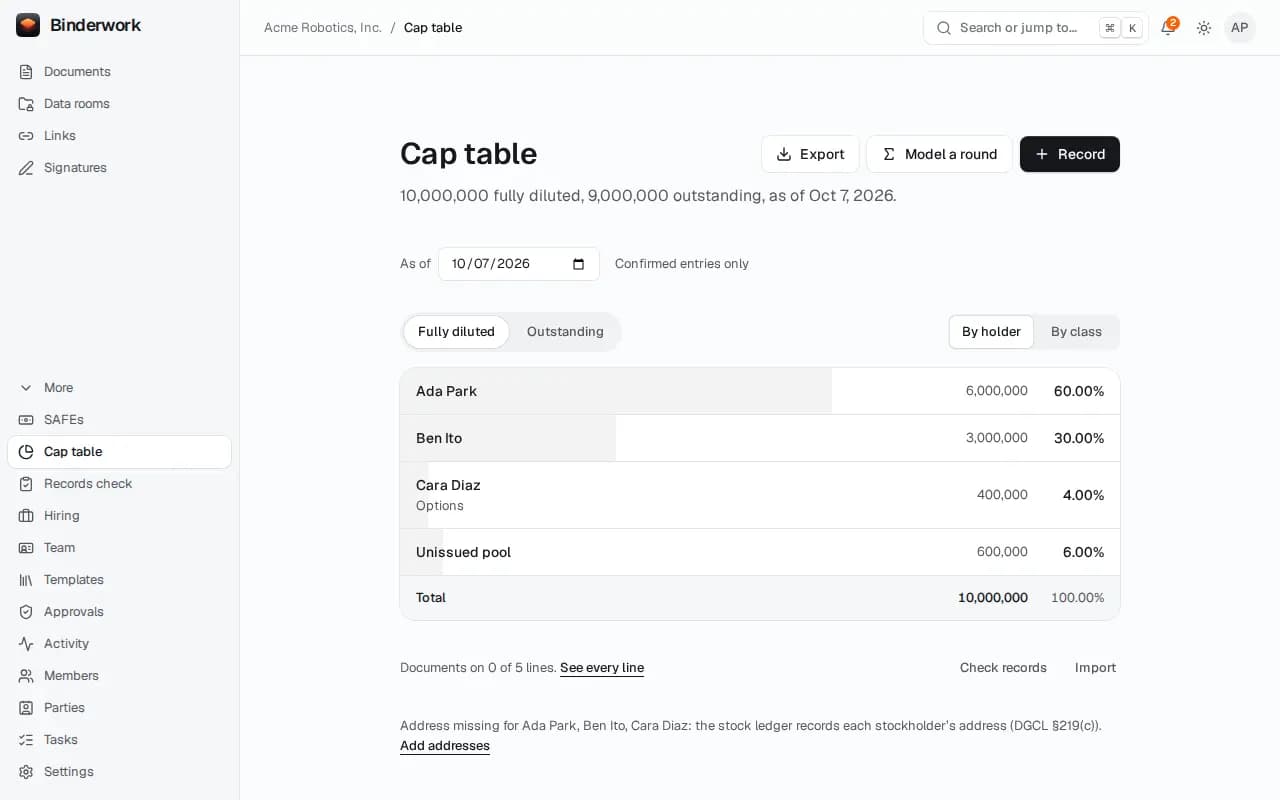
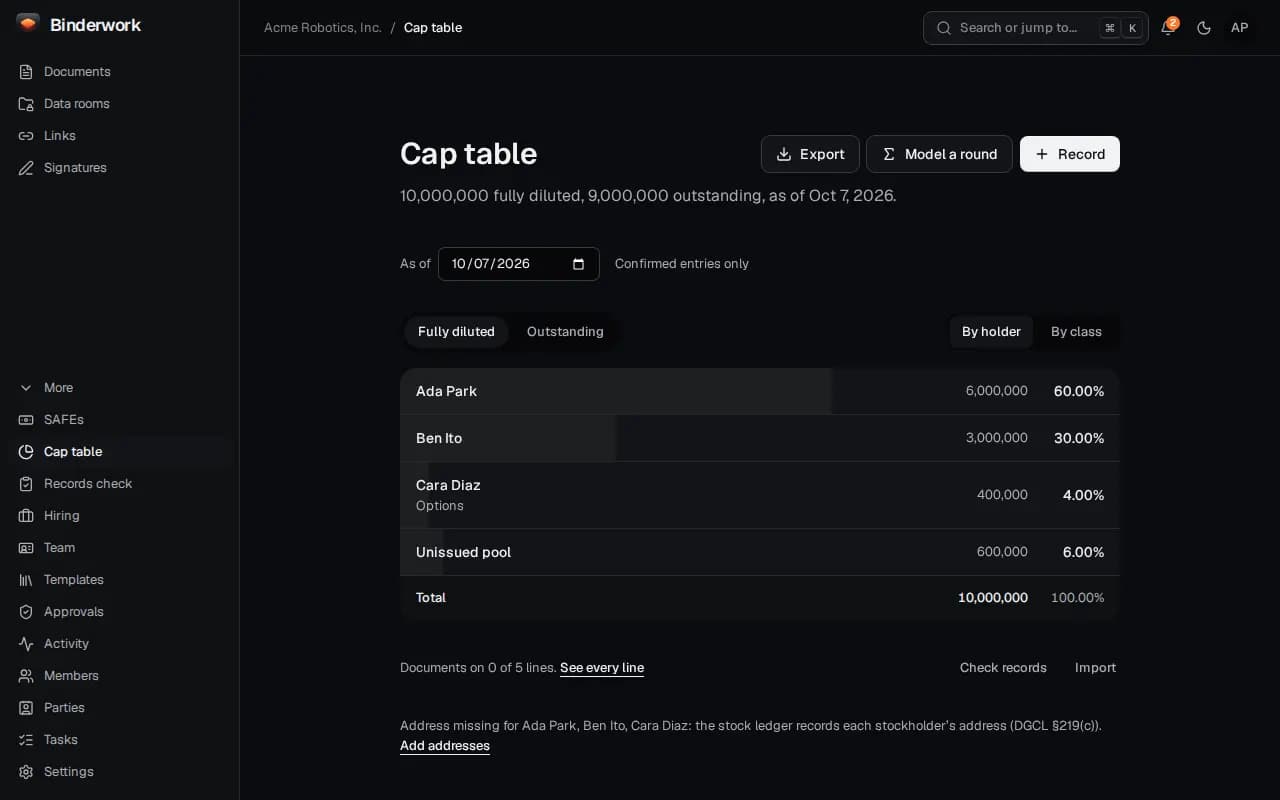
By holder or by class, fully diluted or outstanding, as of any date. Export it for counsel or the next round.
From ChatGPT or Claude
Once Binderwork is connected to your chat, ask in your own words. Your assistant drafts; anything that reaches another person waits for your approval in Binderwork.
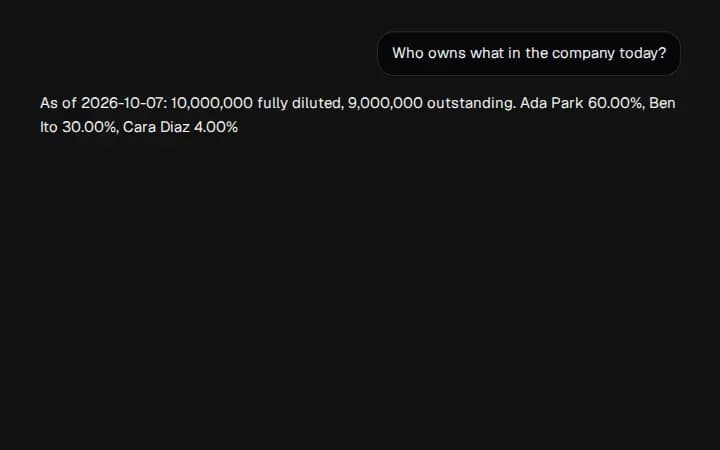
Ask who owns what
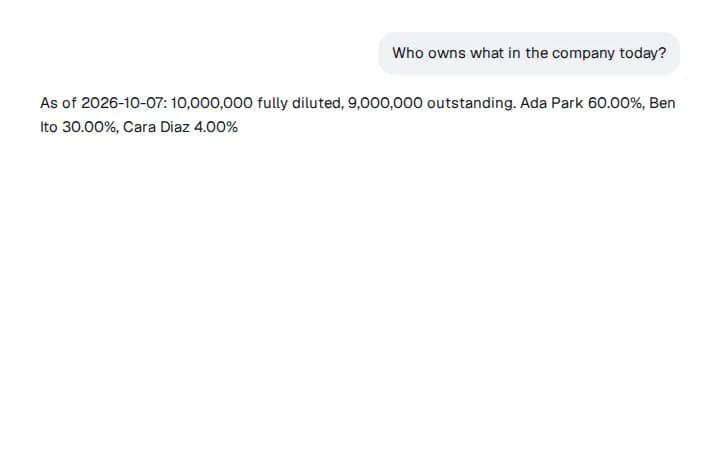
Say “Who owns what in the company today?” Binderwork answers with the totals and each holder's share.
Import from a chat
Ask your assistant to import your cap table. It gives you a page to drop the export on and drafts the lines, which wait for an officer to confirm in Binderwork.